Light temperature and nature
How does it work in the nature? Well, as the Sun is going up and down every day it goes through a light temperature phases, which for example are known as cold hours and golden hours by photographers. They represent different light temperatures which may make their photos more beautiful. Meanwhile these colour temperature changes throughout the day for us mean wake up time and preparation to sleep time. You somehow need to tell your brain you’re going to sleep soon – you need a warm light, the equivalent of Sun going down. However nowadays is much more difficult as in the offices and in most other places bright white (cold) light is present even after sunset – it keeps our brain awake, telling “hey, it’s an active day time, be awake”. This means we bypass natural processes and sometimes may find ourselves in a situation when we can’t sleep at night or it’s hard to fall asleep therefore lacking quality resting time.
Lights and displays
The good part is that you don’t need to look far to reduce this issue. You may improve it by having adjustable light temperature lights and also apply same behaviour to your computer and mobile device screens.
Set up your light
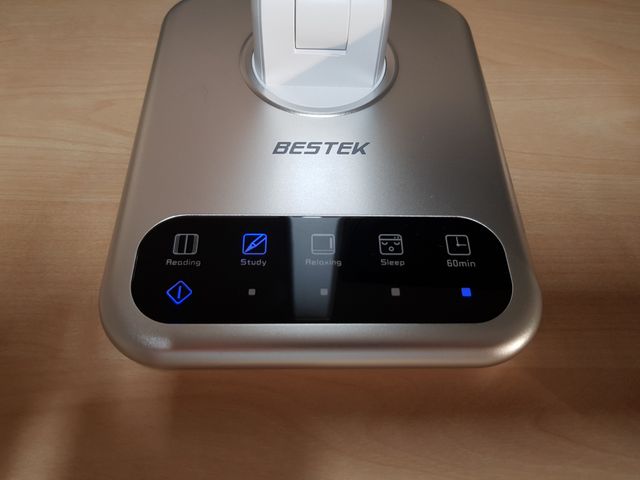
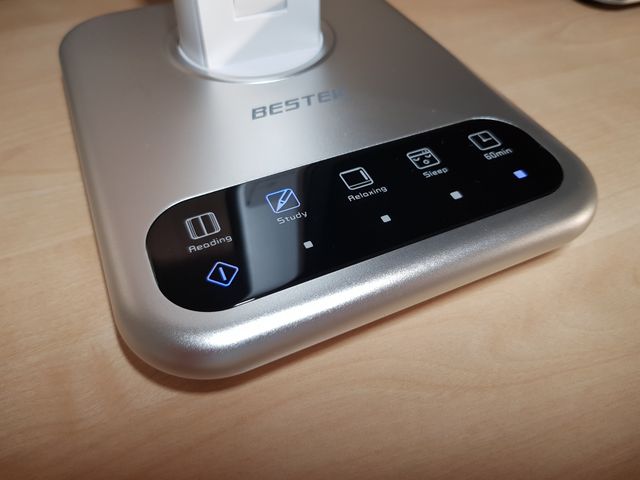
In example Apple has a system setting called “Night Shift” on their devices, which may be activated via Settings -> Displays -> Night Shift. I haven’t seen Windows containing similar feature built in the OS, however some computer manufacturers create their own software to enable screen temperature changes. While your home is probably not that smart yet, you may at least hack the light on your desk like I did with this desk lamp manufactured by Bestek. I usually turn the “Sleep” warm light around an hour before going to bed. This helps me to fall asleep quicker as well as help my eyes to relax more from intense white light.
Summary
How to adjust the light and make your sleep better:
- Adjust your devices screen temperature using built-in settings
- Get adjustable light temperature desk lamp and use warm tone before going to sleep
The lamp I chose
One of my best purchases back in 2017 was “BESTEK Touch Control LED Table Lamp” from Amazon.


My eyes were irritated and tired after long evenings at the computer, so I decided to get something more than just a simple desk lamp. After a month of use I can already tell that this made my life so much better, my eyes are not so tired when going to sleep, and I feel like getting asleep when using warm light became really easier for me. Features of this lamp:
- 4 different lighting modes (reading, study, relaxing, sleep)
- 4 different levels of brightness
- 60 minutes timer for automatic turn off
- LED – means energy efficient
- Foldable and rotatable arm made from aluminium
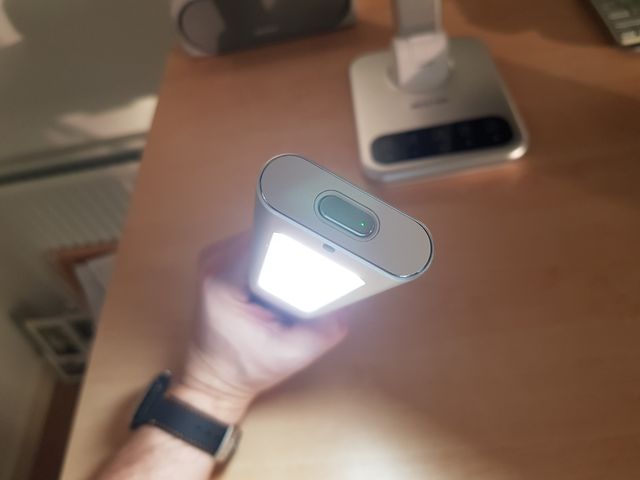
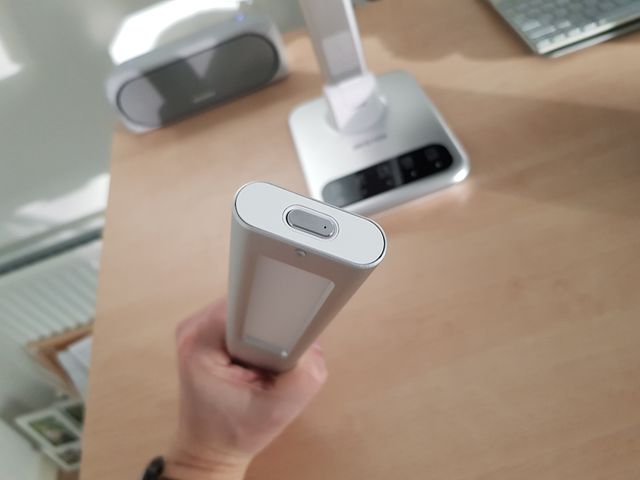
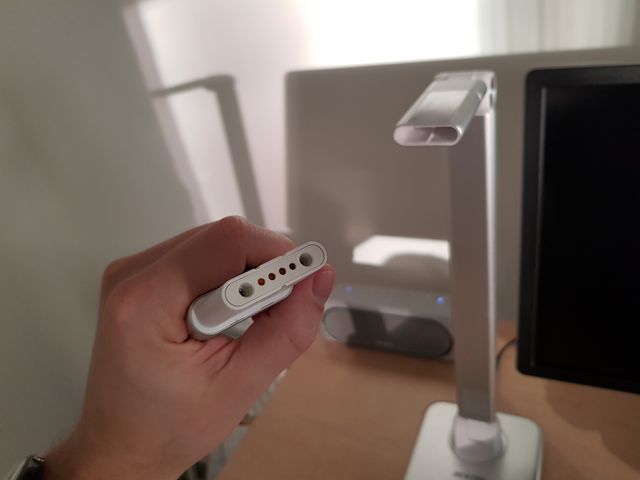
- Detachable lamp head, with three brightness levels and rechargeable 1600mAh Li-Po, giving at least 90 minutes of light at max brightness
- Two USB charging ports, up to 2.4Ah each, meaning you can fast-charge up to 2 devices
The things that I like about my purchase are:
- Good build quality
- Loads of handy features for a desk lamp
- Detachable lamp head, meaning you can take it out to i.e. the garage to check the car liquids
- Those light temperatures are just satisfactory for my eyes!